

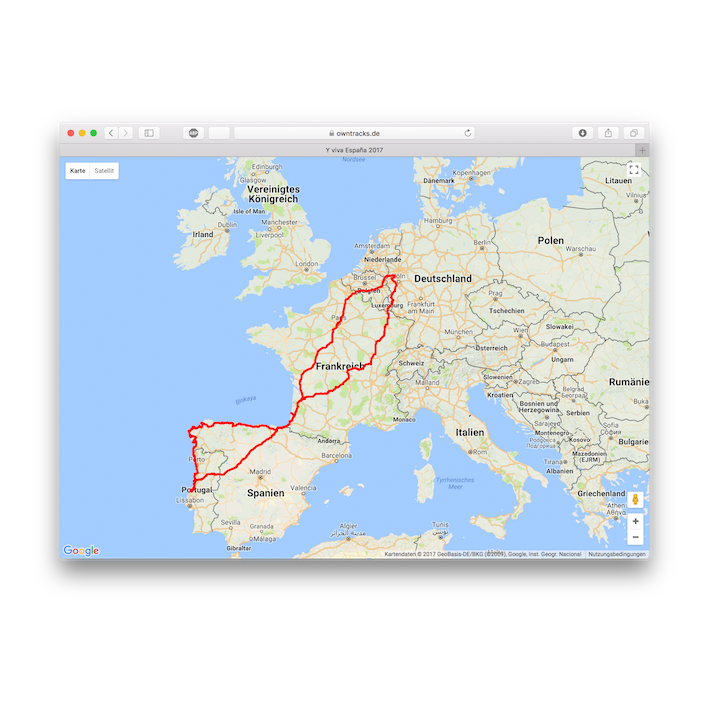
As someone who frequently travels, one feature I’ve cherished over the years is Google Maps Timeline. Quiet Sunday afternoons often found me retracing the routes I had walked, flown, or ridden. The timeline wasn’t just a utility; it served as a digital memory journal. It captured forgotten alleyways, long airport layovers spent grabbing a quick bite, and spontaneous train journeys through Eastern Europe. These weren’t always captured in photos, yet Google managed to preserve them silently in the background.
The Shock of Discontinuation
When I learned that Google was discontinuing the Timeline feature in its current form, the news hit hard. Losing access to the online view meant those memories were now confined to a phone. Cloud backups were no longer automatic; users had to manually initiate them. That move effectively put my location history behind a wall labeled “Takeout Export.” Preserving over a decade of journeys became a pressing concern. Ownership of that data became non-negotiable, prompting me to find a self-hosted solution.
Why OwnTracks Became the Obvious Choice
Among several contenders, OwnTracks quickly stood out. Its open-source nature, plain-text data storage, and complete reliance on personal infrastructure made it a compelling choice. The interface was surprisingly smooth for an independent project, and there was no monetization scheme lurking behind the scenes. These qualities aligned perfectly with what I needed as a replacement for Google Maps Timeline.
Weekend Setup on Synology NAS
Deploying OwnTracks involved setting aside a weekend and diving into technical configurations on my Synology NAS. The result was a location log that remained entirely under my control, stored on hardware I already owned. Flexibility was a major plus. I could back up data on my terms and even integrate it with automation tools like Home Assistant.
Laying the Foundation with MQTT
To get OwnTracks up and running, I first addressed the messaging infrastructure. The application depends on an MQTT broker to manage communication between the mobile app and the server. I opted for Eclipse Mosquitto, deployed inside a Docker container. The documentation provided clear instructions for configuring ports and volumes. Once set up, I directed the OwnTracks app on my Pixel 9 Pro to the NAS’s LAN IP. Data packets began flowing almost instantly, confirming the link was working.
Optional Real-Time Updates
Real-time tracking wasn’t essential for me, as syncing upon returning home met my needs. Still, the option to configure a reverse proxy for live updates exists and remains a possible enhancement down the road.
Recorder and Frontend: Storage and Playback
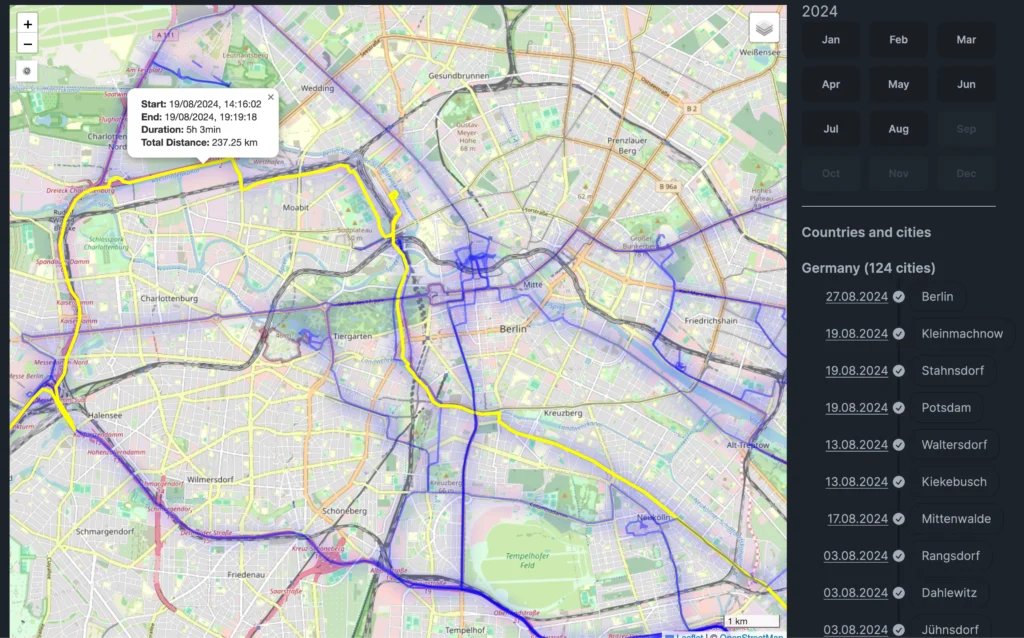
The next stage focused on data storage and visualization. OwnTracks comprises two components: the recorder and the frontend. The recorder logs every location update, connects to the MQTT broker, and writes data to disk. It also exposes an HTTP API for additional integrations. Setting this up via Docker Compose proved straightforward, and Synology’s Container Manager provided an even more user-friendly experience. By default, the recorder presents a basic but functional map interface on port 8083. While not visually striking, it gets the job done. I saw my evening walk show up almost in real time, confirming successful tracking.
Importance of the Frontend
For users only interested in capturing new data, the frontend isn’t strictly necessary. In my case, importing historical location data was a priority. Installing the frontend followed a similar process to the recorder and took less than an hour to complete.
A Familiar Interface With Self-Hosting Power
Although the installation wasn’t entirely seamless, the moment it worked was satisfying. It closely resembled Google’s old timeline—only this time, I was hosting it myself. The system also functions offline. If my internet connection goes down or I’m not outside the local network, the app stores updates and pushes them once reconnected. This redundancy added a layer of reliability.
Migrating Old Google Maps Data
Bringing in my old location history, however, proved to be more involved. Google Takeout delivers JSON files that are incompatible with OwnTracks by default. It required a community-contributed script to convert the data into a usable format. After that hurdle, I imported over ten years of travel logs, restarted the service, and watched my past adventures reappear, one marker at a time. The sense of reclaiming something lost was deeply fulfilling.
The Value of Data Ownership
Throughout the process, a theme emerged: ownership. Setting up OwnTracks gave me control over how my location data was collected, stored, and visualized. Understanding each component helped demystify the system. Future maintenance or troubleshooting wouldn’t rely on vague support threads. The infrastructure belonged to me, and no corporate decision could take it away.
Comparing With Google Maps
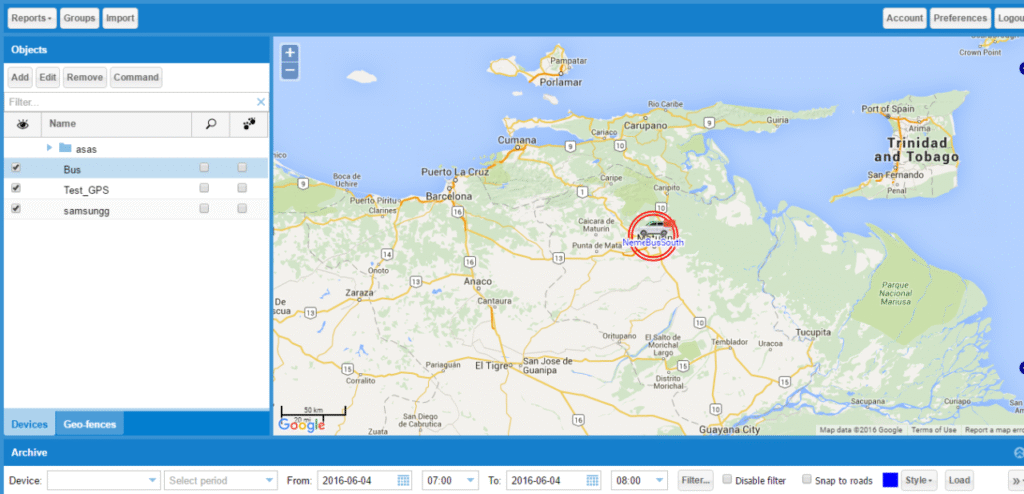
Using OwnTracks has proven to be a different experience compared to Google’s polished offerings. The features are more utilitarian. A map with dots showing where I’ve been is the core visual. Since the system relies on OpenStreetMaps, it doesn’t provide the richness of Google’s metadata. For someone trying to recall the name of an obscure restaurant visited years ago, it might not suffice. The absence of bells and whistles like Street View or integrated photos marks a clear distinction.
A System Built for Permanence
Despite the lean interface, OwnTracks excels where it matters: permanence. The data is stored in JSON files, systematically organized by year and month. Any mapping tool or data analysis library can interpret them. Generating a heatmap or tracking distance trends becomes a simple scripting task. This flexibility opens up countless possibilities for visualization and review.
Emphasizing Privacy
Another critical advantage is privacy. Data never leaves the local network unless I deliberately push it elsewhere. End-to-end encryption is available using a pre-shared key, protecting the contents even during transfers. There’s no analytics layer, no cloud syncing unless I initiate it, and absolutely no risk of targeted ads. For those with spare hardware like a Raspberry Pi, the barrier to entry is surprisingly low. Resource usage remains minimal; a five-year-old NAS barely registers the load. The frontend, in essence, is just static files served via Nginx.
Efficient Storage and Backups
Storage efficiency also impressed me. A full year of detailed movement logs—updated every ten seconds—consumes only a few hundred megabytes. That’s a tiny footprint for a system that holds potentially life-defining data. To add redundancy, I configured automatic nightly backups. These are stored not only on another NAS but also, in a twist of irony, on Google Drive.
Is This Setup For Everyone?
Considering accessibility for others, I reflected on whether a less technical friend could replicate this setup. With some willingness to use Docker Compose and follow community guides, it’s certainly achievable. Tutorials are available for various environments like Synology, Unraid, Raspberry Pi, and even bare-metal Linux. Although it’s not a plug-and-play product, improvements in tooling make it increasingly user-friendly.
A Reflection on Google’s Decisions
We shouldn’t have to go through this effort. Ideally, a platform like Google should continue supporting features users love. In reality, services often disappear with little notice. The move away from Timeline is a case in point. That unpredictability made me appreciate having something I control.
Limitations and Trade-Offs
There are limitations I’ve come to accept. The mobile app can stop syncing if Android’s battery optimization interferes. Searching within the map isn’t currently supported. Large data imports can temporarily freeze the interface. Yet these aren’t dealbreakers. For my needs, the benefits far outweigh the compromises.
Preserving Memory, On My Terms
Location data may seem inconsequential until it’s gone. A dot on a map can unlock memories of a detour, a chance meeting, or a peaceful walk. Preserving that history matters. Now, that timeline resides safely on hardware I own, and I don’t have to rely on any tech giant to maintain access.
FAQ’S
What is OwnTracks and how does it work?
OwnTracks is an open-source location tracker that stores your location history on your own server or NAS. It uses MQTT to send data from your phone to a local recorder, where it’s stored in JSON files.
Can I import my Google Maps Timeline data into OwnTracks?
Yes, but it requires converting the JSON files from Google Takeout using community-made scripts to make them compatible with OwnTracks.
Is OwnTracks safe for storing personal data?
Yes, OwnTracks ensures full control of your data. It supports end-to-end encryption, and no data is shared externally unless you choose to do so.
Does OwnTracks work without an internet connection?
Yes, the system stores data offline and syncs it once your phone reconnects to your network. This makes it reliable even when traveling without internet.
Is OwnTracks beginner-friendly?
Not entirely. It requires some technical setup using Docker, MQTT, and terminal commands. However, community guides are available for help.
Conclusion
Shifting away from Google Maps Timeline toward a self-hosted solution like OwnTracks was both a technical challenge and a philosophical statement. It was about reclaiming ownership over years of travel memories and ensuring their longevity.
The setup process demanded effort, but the result is a location tracking system that respects privacy, offers customization, and eliminates dependency on third-party services. Even with a few shortcomings, the advantages of control, data permanence, and security outweigh everything else. OwnTracks may not be for everyone, but for those who value autonomy and digital preservation, it’s an investment worth making.
